Moving internationally to New York City turns ordinary life into a very long setup wizard: commutes, school schedules, bank accounts, bills. Naturally, my response to having too many things to do was to give myself a software project.
How much of a smart home could I build without buying a house full of smart appliances?
It started with the question that mattered most at home (the “wife approval factor,” if you will): when should my wife leave for her train? School pickups, kitchen warnings, electricity, and finances followed, along with a second question: how much of Apple Wallet can I get without the Apple Card?
The goal never changed: put the answer and the next action in the same place.
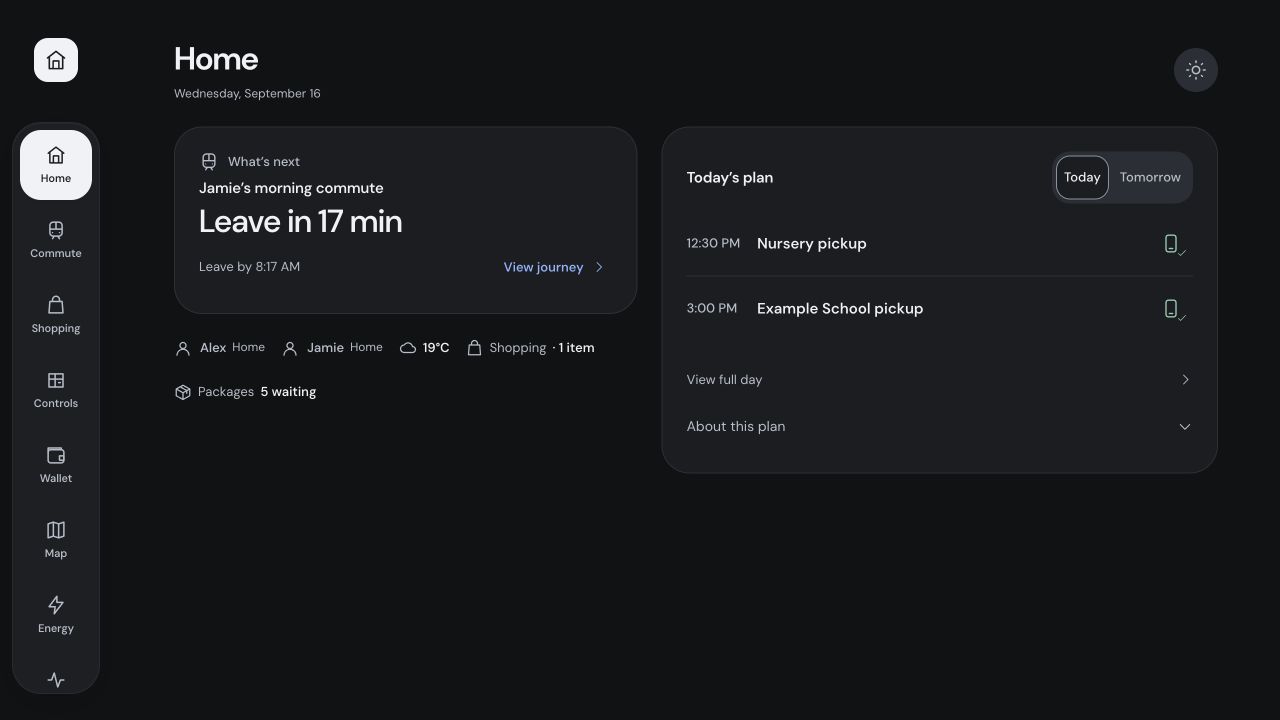
Home leads with the next action. Presence, weather, shopping, and packages stay close without competing with the day’s plan. Fictional household data.
When should my wife leave for work?
A train arriving in eight minutes sounds promising until you remember the walk to the station. The question each morning is not “when is the next train,” but “when should my wife walk out the door?”
The commute view combines live MTA arrivals with the walks, a platform buffer, and the ride:
leave_home = train_departure - walk_to_station - platform_buffer
office_arrival = train_departure + train_journey + walk_to_office
Trivial arithmetic, but done automatically it gives her a departure time instead of another timetable to interpret.
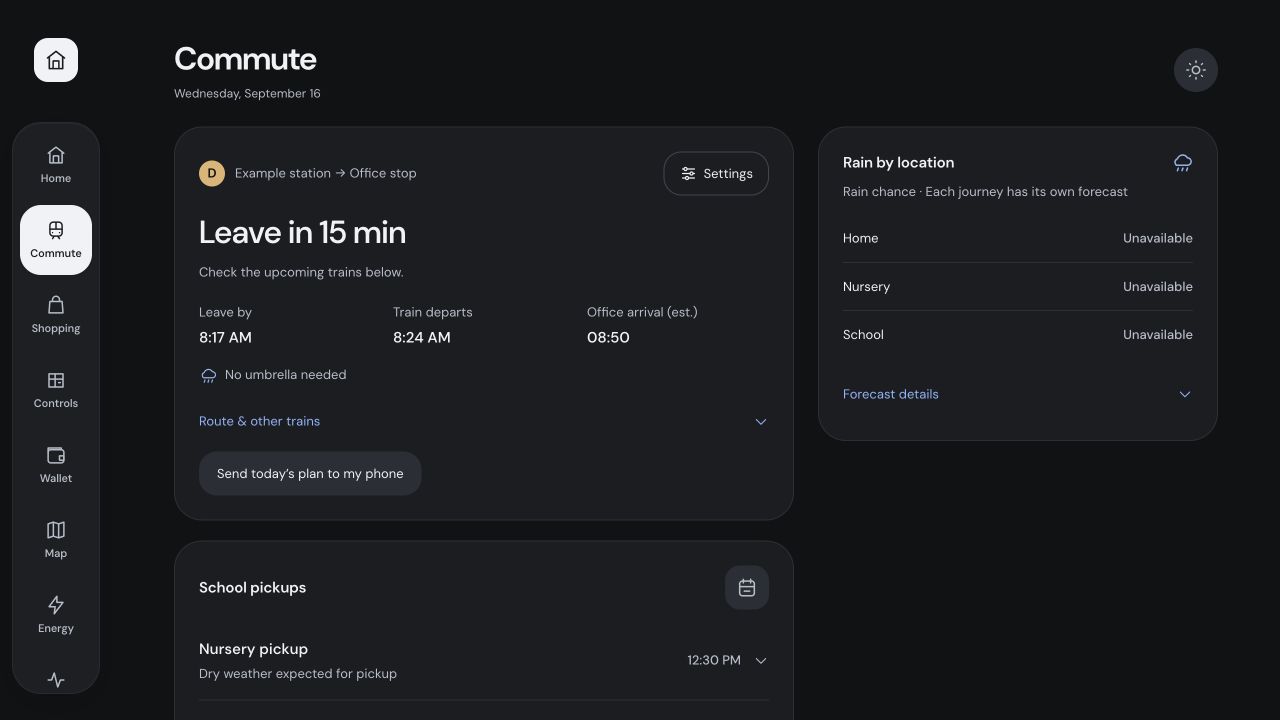
When to leave, which train to catch, and when she’ll arrive.
Once she is out of the house, presence lets the leave-home recommendation fade away. The work-commute Live Activity has its own configured phone to go to: reach the person actually making the trip.
Did we leave the stove on?
Ubiquiti’s UniFi integration tells Home Assistant who is on the network, a decent approximation of who is home. Our GE kitchen appliances happen to support SmartHQ, which exposes cooktop and oven states. Together, they flag something running in the kitchen while nobody is known to be home, on the home screen and as a Live Activity on our phones, without opening any app.
Yes, an appliance sneaked in. The constraint was avoiding a shopping spree, not avoiding appliances. If the oven already tells me what it’s doing, I’m happy to listen.
3:00 PM is not when to leave
A school calendar can correctly say pickup is at 3:00 PM and still be remarkably unhelpful at 2:40. We need time to get ready, time to walk, and possibly an umbrella. So the logic works backward:
arrive_by = pickup_at - arrival_buffer
leave_by = arrive_by - walking_time
prepare_at = leave_by - preparation_lead
With a 20-minute walk, a 5-minute buffer, and 15 minutes to get ready, the nudge lands at 2:20. Weather adds the umbrella reminder, and a Live Activity keeps the plan on the lock screen as closures and schedule changes come in.
I let Codex drive my iPhone
Much of the app is a web interface inside Home Assistant Companion, and a desktop monitor is a suspiciously forgiving place to test something meant for a phone.
So I connected computer use to Apple’s iPhone Mirroring app. ChatGPT/Codex operated the Mac window, and that window operated Home Assistant on my actual iPhone. I gave it tasks like “open an account in Wallet, enter its editor, cancel, and return,” and it worked through them from screenshots, clicking, scrolling, and typing.
There is something wonderfully odd (yet enjoyable) about asking an AI to use your phone so it can find out why using your phone is annoying.
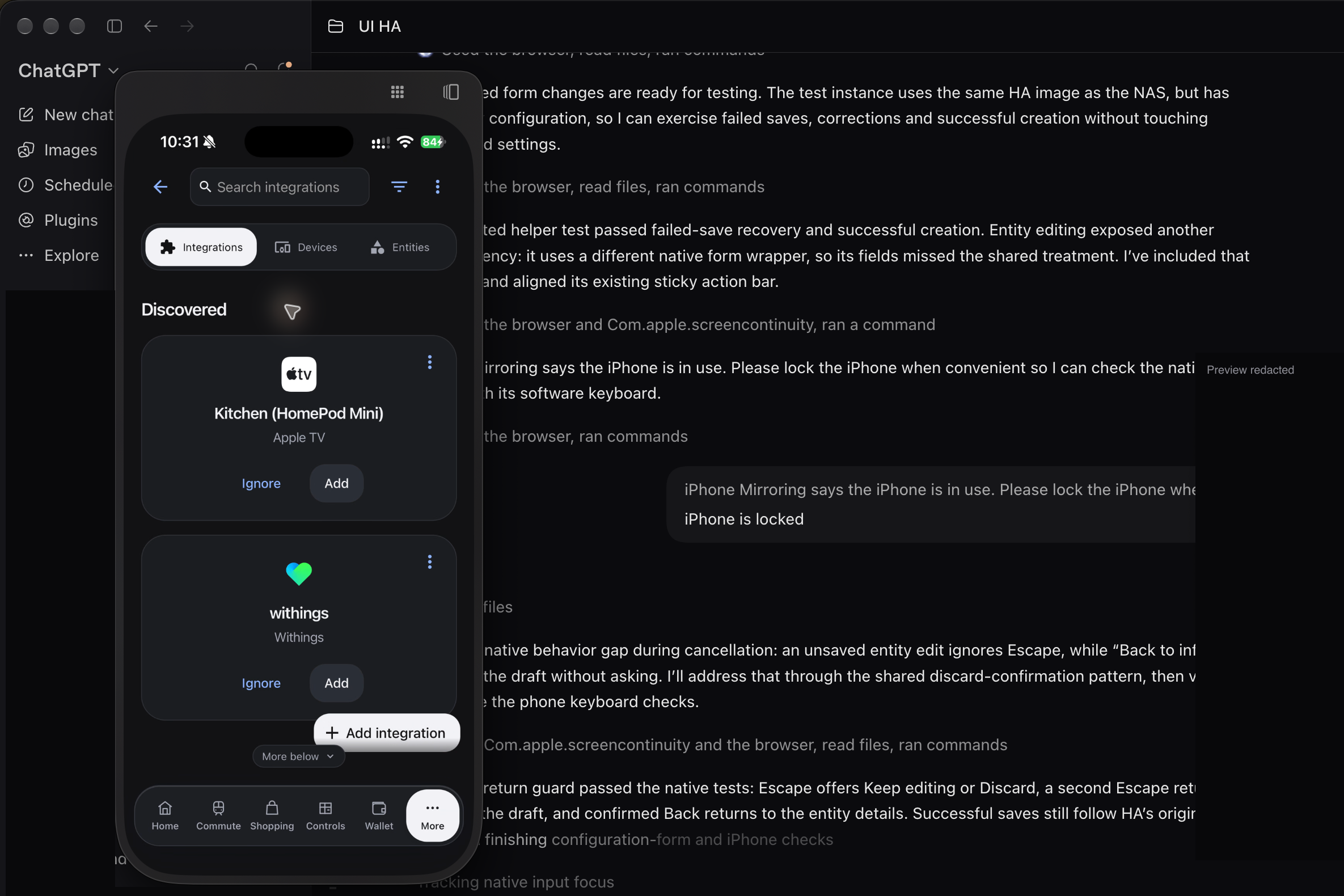
An earlier development session on the real phone. The two discovered integrations are visible; surrounding private desktop content is cropped or redacted.
Watching made the fixes obvious: move the editing controls above long Amazon descriptions, and keep Close visible while a dialog scrolls.
I didn’t have to learn a testing framework first. Describe the task, watch it happen, fix what gets in the way, and try again. I still check gestures, the keyboard, and accessibility by hand, but it was a way into real-device testing I could use immediately.
The meter is a few days behind
The Con Edison integrations feed an Electricity page with usage so far, a forecast for the billing period, and an estimated bill priced from actual bills.
The trap: readings can arrive several days late. Compare a partly reported week with a complete one, and congratulations, you’ve saved electricity by failing to measure it. So the view compares only complete seven-day periods, shows how far the readings extend, and leaves missing readings blank.
When the readings actually support an increase, Electricity shows up on Home, so we can investigate before the bill arrives.
The NAS gave the project somewhere to live
The whole setup needs to keep running: commute advice, kitchen warnings, pickup reminders, and financial updates. Home Assistant and Wallet run as separate services on the NAS, which now lives hidden from sight, in the entryway closet.
Home Assistant owns devices, presence, calendars, and automations, with a custom home_design integration serving the Home interface. Wallet is a separate Python service with a SQLite database, exposed through Home Assistant’s authenticated UI by local_wallet.
Financial information pulled through Plaid is stored on an encrypted volume on the NAS. Encryption belongs to the storage layer; the application uses ordinary SQLite. Plaid handles the external bank connection.
Wallet’s container has a read-only root filesystem and persistent data, so releases replace code while keeping records: the project can be a work in progress without making the household’s memory temporary.
An (intelligent) Wallet
Moving to the United States meant setting up our home from scratch, getting our finances in order, and building credit. I wanted to feel in control of it all. Wallet was my attempt to make that less daunting: one place to see where we stand and what needs attention.
Plaid supplies the bank activity; amazon-orders supplies what those Amazon charges actually bought. Wallet matches the two without counting both as expenses. Buying something once is expensive enough. The interface reads local records, so checking our spending doesn’t wait for a bank sync.
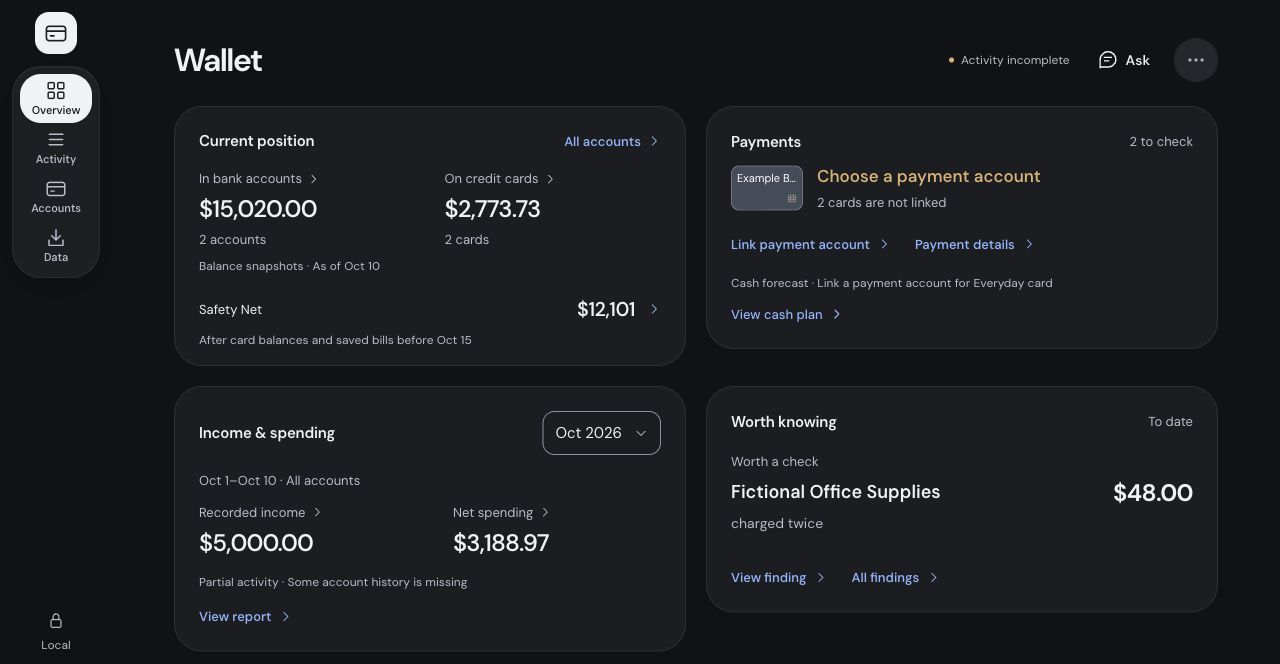
All accounts, balances, and transactions are fictional; incomplete activity remains labeled.
Overview puts balances, spending, and upcoming payments together. Safety Net subtracts card balances, bills due before payday, and applicable funding holds from our connected USD checking and savings. It shows the arithmetic and can withhold the result when inputs are missing or stale. Money sitting in checking can already have a job.
With the records together, Wallet can also spot things I hadn’t thought to ask about. It caught three AirTag bracelet orders in four days: replacements for one we’d supposedly thrown away, then found two weeks later. The trash was imaginary; the purchases were real. I marked them as intentional, and Wallet stopped bringing them up.
Local code does the counting and arithmetic. Jev from TypeSafe judges which patterns deserve attention; Claude, through the Python SDK, investigates and writes explanations tied to supplied evidence. The application rejects references it didn’t supply. Jev receives anonymous signals without product titles or order identities; sharing purchase details with Claude has its own setting.
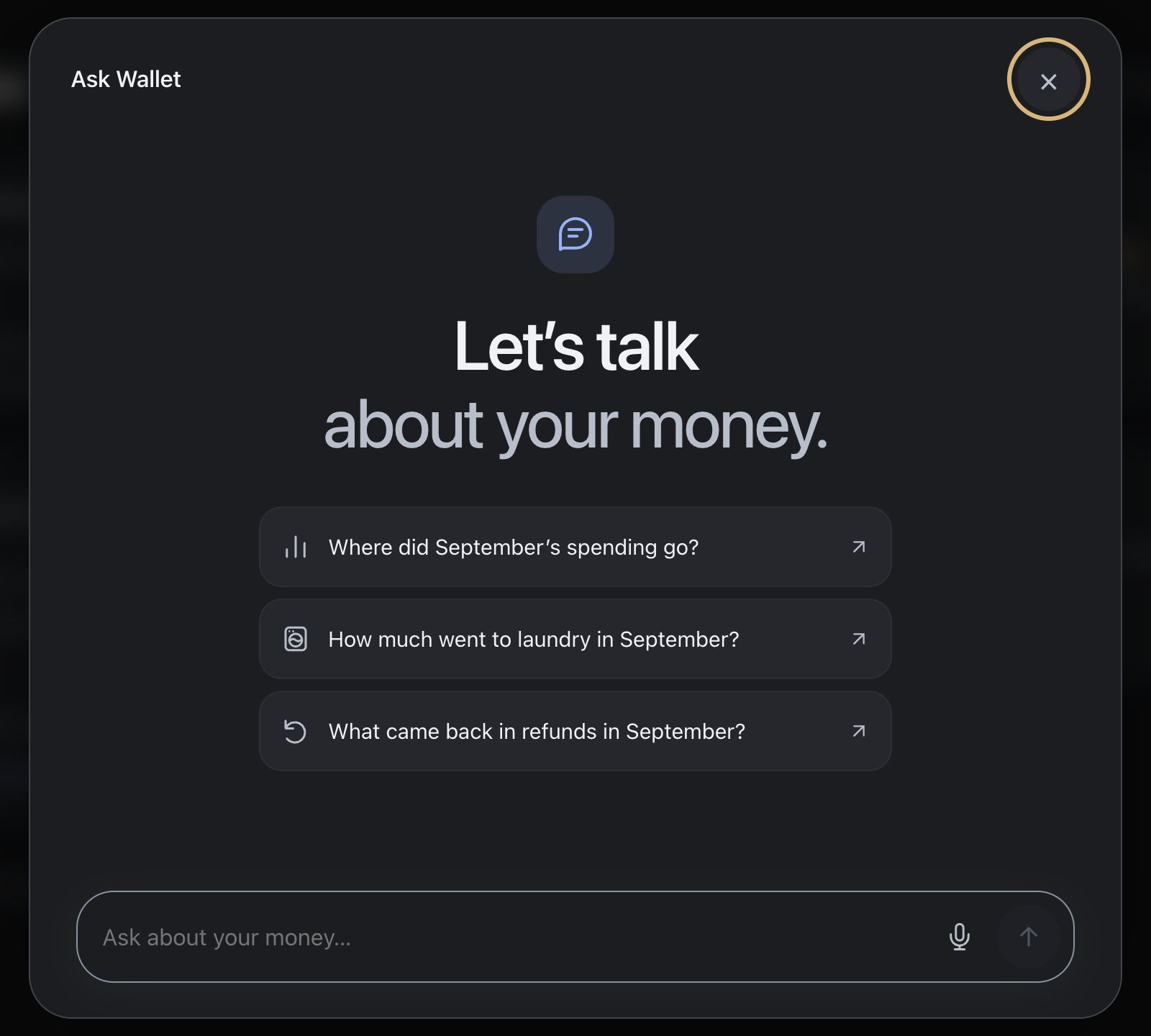
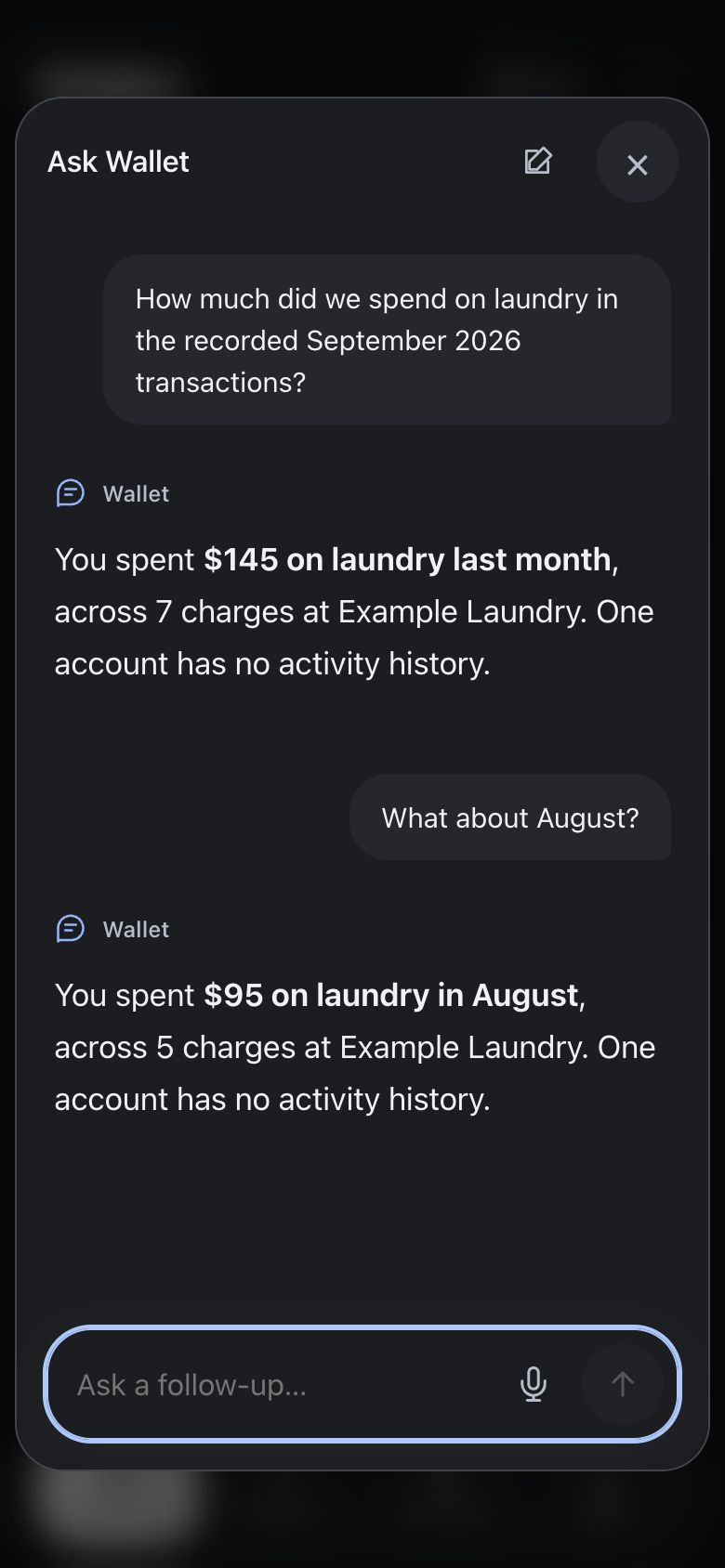
I can also ask directly: “How much went to laundry last month?” Ask Wallet uses bounded, read-only queries against local records and flags gaps in coverage. Follow-ups let me check which account paid or compare with the month before, without rebuilding a set of filters.
Did we get a package?
The building’s package notifications arrive in my mailbox. My wife keeps asking, “Did we get a package?” The information exists, but only one of us has it. So now I am the package API, with no rate limiting.
I forward the delivery emails through Resend. A parser checks the sender and recipient and saves deliveries to a persistent ledger; Home and the Companion app badge show how many are waiting. Either of us can check the details or tap “Picked up all”. Once the save succeeds, the boxes leave the shelf and a tiny spider swings down to wave goodbye. Try the app’s renderer below.
Packages
Awaiting pickup
- BROWN BAG IN PACKAGE ROOM
Reference DEMO-1042
- WHITE BAG IN PACKAGE ROOM
Reference DEMO-1043
Email checked
Forwarded copies are deduplicated, ambiguous mail goes to review, and tracking starts from an opening count I took by actually going downstairs.
The quiet moments should be pleasant too. Hairline’s isometric line drawings gave us a basket for an empty shopping list and a loupe for a Wallet search with no matches.
Removing cognitive load
I set out to take work off our plates and ended up with a small collection of services to maintain. A very software-developer outcome.
The parts I value most have a concrete outcome: knowing when to leave, catching the stove, bringing the umbrella, knowing where the money went, and being done with the packages.
And occasionally, in a very consumer friendly society, a small spider waves goodbye to the boxes.